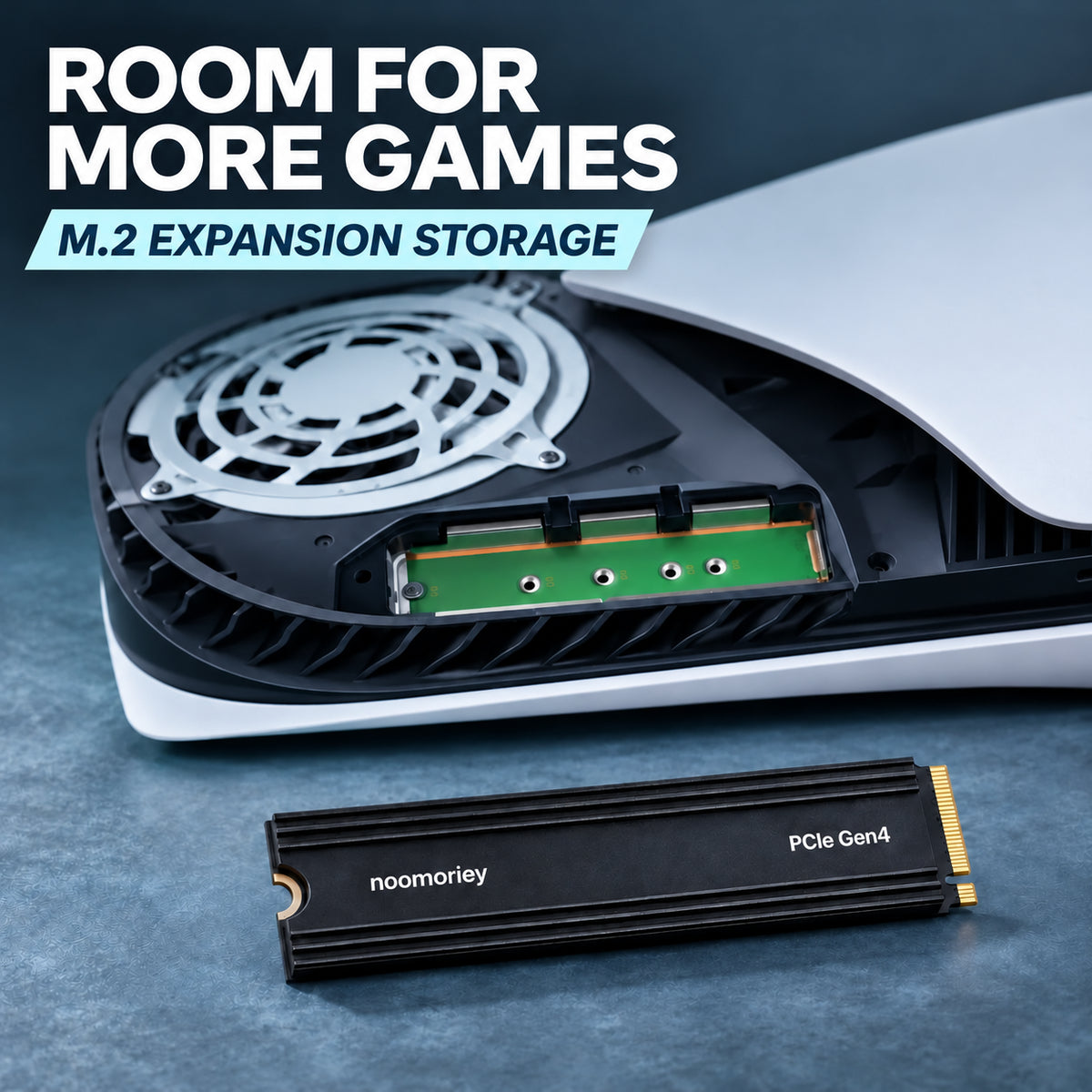
PCIe Gen4 NVMe M.2 SSD with Ribbed Heatsink
PCIe Gen4 NVMe M.2 SSD with Ribbed Heatsink
Couldn't load pickup availability
Store-Backed Purchase Support
Shopping Protection & Fast Shipping.
Store policies and direct order support from keepfbshop.
Selected Product Option
500GB
Available to orderSecure Shopify Checkout
Payments processed through Shopify checkout.
Protected checkout connectionSupport follows our published store policies. Optional shipping protection is shown separately.
-
Ordered
- - -
Order Ready
- - -
Delivered

Shipping Protection
Shopping Protection & Fast Shipping. Optional — remove anytime before checkout.

PCIe Gen4 NVMe M.2 SSD with Ribbed Heatsink
Make room for more
Keep your favorites.
Welcome what’s next.
Your next game, update or creative project deserves a place. Expand your storage with a PCIe Gen4 NVMe SSD featuring an integrated black finned heatsink.

- ⚡ PCIe Gen4 NVMe
- 💾 M.2 2280 Format
- 🛠️ Built-In Heatsink
Space for what matters
Stop making room.
Start keeping more.
A full drive can turn every new download into a decision. Give your games, captures and working files more space, with extra headroom for whatever you want to install next.
- Keep more of your game library installed.
- Organize active projects and media files on internal storage.
- Allow space for updates, recordings and new releases.

Integrated cooling
Finned by design.
Ready for your setup.
Parallel fins run along the heatsink, increasing its surface area to help dissipate heat.
Storage and cooling come together in one compact design. Check the full drive dimensions to confirm clearance in your device.
Your internal storage upgrade
Games. Projects. Possibilities.
Give them room to grow.
Keep the files you use close at hand. Designed for installation in a compatible M.2 2280 PCIe NVMe slot, with enough surrounding space for the fitted heatsink.

Check your motherboard manual for PCIe NVMe support, the 2280 mounting position and clearance around any M.2 cover or nearby components.
Choose your capacity
Think beyond
today’s downloads.
Start with the games and files you want to keep. Add room for updates, recordings and future projects, then choose the capacity that suits your needs.
- 500GB
- 1TB
- 2TB
- 4TB
- 8TB
Select your preferred capacity from the product options. Usable space may differ from the labeled capacity after formatting and system setup.
Fit & installation
Check your slot.
Plan your upgrade.
Confirm your device’s storage requirements before ordering for a smoother installation.
-
Confirm PCIe NVMe support.
Your device needs a compatible PCIe NVMe M.2 slot with a mounting position for the 2280 format. A SATA-only M.2 slot is not suitable.
-
Check heatsink clearance.
M.2 2280 refers to the 22 × 80 mm board format. Check the full housing dimensions, including the heatsink, against the space available in your device.
-
Follow your device’s setup guide.
Power off and unplug the system before installation. Install and secure the drive as instructed, then follow the storage setup prompts. Confirm the correct drive before formatting, as formatting erases its data.

Product specifications
The essentials, clearly laid out.
- Drive type
- Internal solid-state drive
- Interface
- PCIe Gen4 NVMe
- Form factor
- M.2 2280
- Cooling
- Integrated black heatsink with lengthwise fins
- Capacity options
- 500GB / 1TB / 2TB / 4TB / 8TB
- System fit
- Requires compatible PCIe NVMe M.2 support and sufficient clearance for the fitted heatsink
Common questions
Before you order.
Will it fit every M.2 slot?
No. Your device needs a compatible PCIe NVMe slot with support for the M.2 2280 format. Check your device manual for the correct slot type, mounting position and heatsink clearance.
Can I use this drive in a PS5?
Compare the selected model’s full specifications with Sony’s current M.2 SSD requirements before ordering. Compatibility depends on capacity, performance and overall dimensions with the heatsink fitted. PCIe Gen4 and M.2 2280 alone do not confirm PS5 compatibility.
Does the drive include a heatsink?
Yes. It features an integrated black heatsink with lengthwise cooling fins. Check that the complete housing fits within your device’s available space.
Will it work in a SATA-only M.2 slot?
No. This SSD uses the PCIe NVMe interface. A similar-looking M.2 socket does not necessarily support NVMe storage.
How do I choose the right capacity?
Add up the space used by the games and files you want to keep, then allow extra room for updates and future downloads. Choose a capacity with enough headroom for your growing library.
Why does my system show less storage than the label?
Storage labels and operating systems may use different units to report capacity. Formatting and system files can also reduce the usable space displayed.
Is this an external USB drive?
No. This is an internal M.2 NVMe SSD for installation in a compatible device.
Make room for what comes next
Keep more installed.
Keep your options open.
Check your device compatibility, select your capacity and give your games, projects and everyday files more room to grow.